
Why Do Amazon Fulfillment Centers Refuse FBA Truck Deliveries?
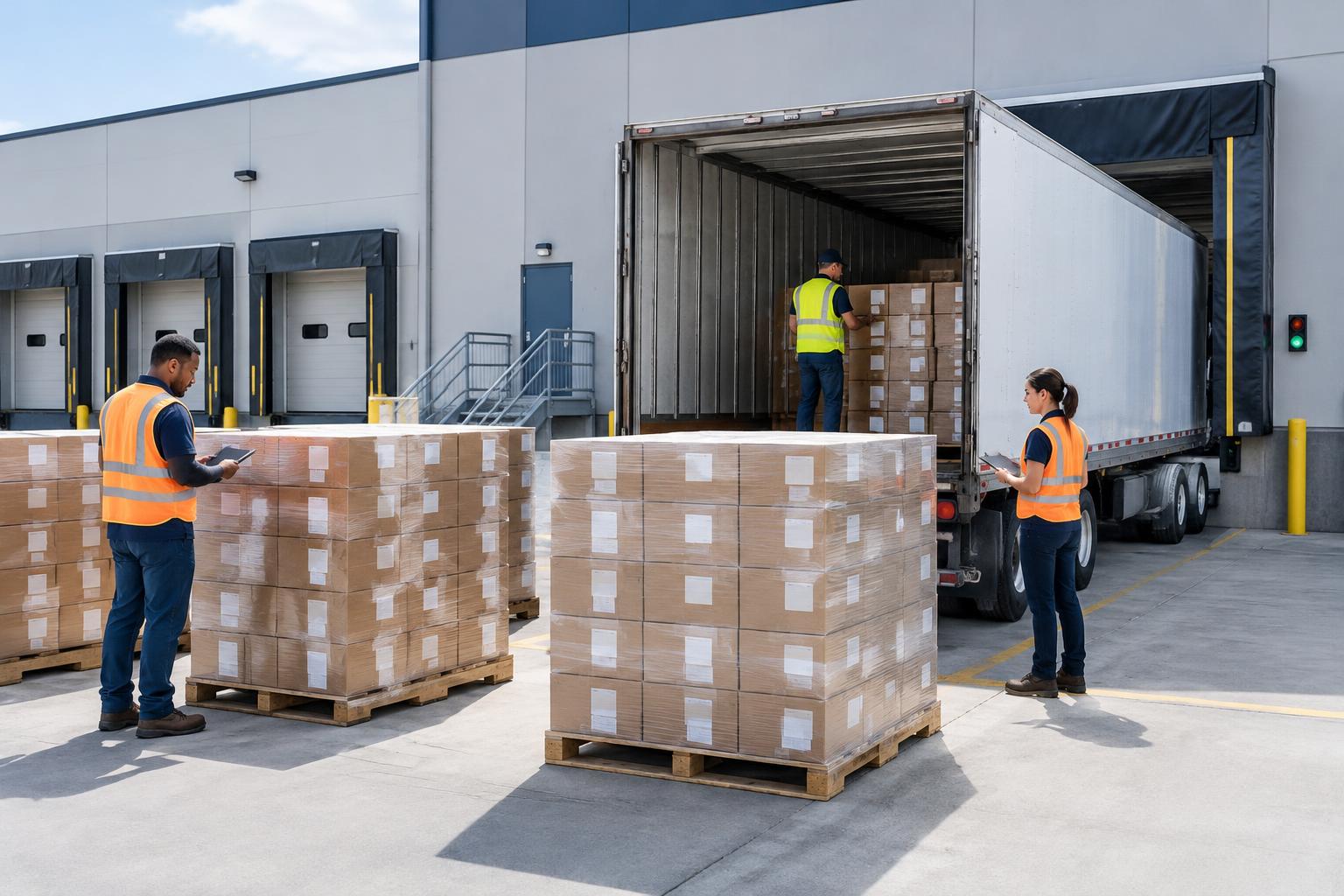
A truck delivery to an Amazon fulfillment center (FC) can be refused when the facility cannot safely unload the freight or verify that it matches the shipment and appointment records. Common problems involve the delivery appointment, pallet or floor-load configuration, carton condition, labels, and shipment-plan information.
Many of these issues can be caught before dispatch. This guide explains what sellers and their logistics providers should check before sending an LTL or FTL shipment to a U.S. Amazon FC.
Scope: This guide focuses on truck deliveries to U.S. Amazon fulfillment centers by less-than-truckload (LTL) or full-truckload (FTL), including palletized and floor-loaded freight. Small parcel delivery (SPD) follows a different process. Requirements can vary by carrier program, shipment type, and FC. The instructions shown in your current Seller Central shipment and the applicable carrier instructions take priority over this general guide.
1. Can an appointment problem cause a truck to be refused?
Yes. An inbound truck delivery needs an approved dock appointment. Amazon's carrier guidance lists arriving without the required appointment reference, such as an Inbound Shipment Appointment (ISA) where applicable, as a valid refusal reason. A mismatch between the load presented at the dock and the appointment or shipping documents can also create a problem.
Before the truck leaves, check the following:
- Appointment status: Make sure the appointment is approved, not pending, canceled, or otherwise changed.
- Arrival time: Follow the scheduled arrival time and the carrier program's check-in instructions. Amazon's U.S. Prepaid Carrier Manual defines an On-Time Arrival (OTA) window of 30 minutes before or after the Scheduled Arrival Time for the carriers covered by that manual. This is a carrier-performance metric; it does not mean every truck arriving 31 minutes late is automatically refused. The same manual says an ISA may be deleted as a No Call/No Show when the carrier has not arrived within 60 minutes after the scheduled time. These timing rules are program-specific, so confirm the instructions that apply to your carrier.
- Load type: The appointment must describe the actual load—for example, palletized, floor-loaded, or clampable where those options apply. A load-type mismatch can lead to refusal, particularly when the BOL and shipment information also conflict.
- Freight on the trailer: The appointment and documents must account for the freight physically being delivered. For loads covered by Amazon's U.S. Prepaid Carrier Manual, Amazon specifies one ISA per trailer. If freight is added to a preloaded trailer, the carrier should update the existing ISA rather than create a second one.
- Bill of Lading (BOL): Check that the BOL identifies the correct shipper, consignee, origin, destination, freight quantity, and description. For applicable carrier programs, also verify the carrier, trailer, seal, PRO, and Amazon reference information.
The key principle is simple: the appointment, BOL, shipment plan, and freight on the trailer must describe the same delivery.
2. What pallet problems can lead to refusal?
Damaged or unstable pallets, incorrect pallet construction, and a load that does not match the declared configuration can prevent safe unloading.
For U.S. FBA truck shipments, Amazon's published guidance commonly specifies:
- Pallet footprint and access: Use a 40 × 48-inch, four-way-access wooden pallet unless the requirements for a specific oversized unit call for a suitable alternative.
- Pallet condition: Use pallets in good condition. Broken or damaged pallets may be rejected.
- Pallet grade: Check the required grade for the product category. Grocery and certain health, personal-care, and beauty products can have stricter pallet-grade requirements than general merchandise.
- Load stability: Build square, stable loads. Do not allow cartons to protrude beyond the pallet footprint unless a suitable oversized pallet is required for a single large unit. Secure the load so it cannot lean, collapse, or shift in transit.
- Pallet labels: Each pallet requires the Amazon pallet labels specified for the shipment. These do not replace the unique box label required on each carton.
Pallet height and weight are configuration-specific
Do not apply one height limit to every pallet build. Requirements can depend on carton weight, whether the freight is clampable, whether pallets are stackable, and the carrier program.
For example, Amazon's publicly available U.S. Prepaid Carrier Manual describes different build limits: certain clampable single-stacked loads with cartons of 16 lb or less may reach 104 inches; loads with cartons over 16 lb are limited to 72 inches including the pallet in the configuration described; and double-stacked loads must not exceed 104 inches overall. The manual also states that stackable pallets must be stable and must not exceed 1,500 lb. These are requirements from that carrier manual, not a universal substitute for the instructions in your own Seller Central shipment.
Check the current pallet height, weight, stacking, and clampability requirements for the exact shipment and carrier before dispatch. Amazon's carrier manual lists pallet builds that are too tall for their configuration, more than two pallets stacked on top of each other, unstable or unwrapped pallets, and pallets that have fallen or leaned during transit among valid refusal examples.
What if the shipment is floor-loaded?
Floor-loaded freight has different handling requirements from palletized freight. Under Amazon's U.S. Prepaid Carrier Manual, floor-loaded stacks must be stable, arranged in alternating columns, often called a T-stack, and secured with load bars and tension straps. The appointment must identify the appropriate load type and whether the freight is clampable or requires hand unloading. The manual also specifies a minimum 96-inch container height for floor-loaded freight and additional conditions for clampable stacks.
Do not assume that palletized and floor-loaded freight can be treated interchangeably. Confirm the load configuration with the carrier and make sure the appointment reflects the freight that will actually arrive.
3. What carton problems can cause trouble at the dock?
Incorrect dimensions or weights, damaged cartons, and cargo that does not match the shipment plan can delay receiving or lead to rejection.
- Weight: Amazon's standard box limit is 50 lb. A box containing multiple items must not exceed that standard limit. Boxes containing jewelry or watches have a stricter 40 lb limit.
- Single oversized items: Amazon has limited exceptions for boxes containing one single oversized unit. A single item over 50 lb requires the appropriate Team Lift/Heavy Package label on the top and sides. A single item over 100 lb requires a Mechanical Lift label. These labels do not make an otherwise non-compliant multi-item carton acceptable. Check the exact size and weight conditions for the exception in your current Seller Central instructions.
- Dimensions: Boxes containing multiple items must meet Amazon's published maximum dimensions: 36 inches long × 25 inches wide × 25 inches high. A limited exception applies to certain boxes containing one single oversized item; the box must not be excessively larger than the item. Confirm the current exception and any applicable weight ceiling in Seller Central before using it.
- Condition: Use a rigid, six-sided box with intact flaps. Damaged, wet, crushed, or open cartons can create receiving and safety issues.
- Tape: Use strong tape designed for shipping. Keep tape away from shipping labels and barcodes so they remain visible and scannable. The Amazon guidance reviewed for this article does not establish a general clear-tape-only rule.
- Accuracy: The weights, dimensions, quantities, and box contents recorded in Send to Amazon must match the cartons actually tendered to the carrier. Amazon says inaccurate shipment details can lead to receiving problems or shipment defects.
4. Which label mistakes cause problems?
Missing, duplicated, unscannable, or incorrect labels can prevent Amazon from identifying and receiving the shipment correctly.
Before dispatch:
- Apply a unique Amazon FBA Box ID label to every carton. Do not photocopy or reuse one box label on multiple cartons.
- For palletized shipments, apply the four FBA Pallet ID labels required for the shipment—one centered on each side of the pallet. Pallet labels do not replace the box labels.
- If reusing cartons, remove old shipping labels and barcodes, or cover or mark old barcodes so they cannot be scanned by mistake.
- Keep labels flat, visible, and scannable. Do not cover barcodes with tape, stretch wrap, or other material.
- As a final operational cross-check, make sure the destination on the shipment labels matches the active shipment plan and the destination shown in the delivery documents. If a shipping mark is used, check that it does not contradict the Amazon destination information.
Products classified as dangerous goods (hazmat) need additional review. Some products containing lithium batteries are dangerous goods, but not every battery-powered product has the same classification. Confirm the product's classification, complete any required Amazon dangerous-goods review, and provide the required documents—such as a Safety Data Sheet (SDS) or exemption sheet—when requested. Packaging, marking, and transport must also comply with applicable regulations.
5. Can a shipment-plan mistake get freight refused?
Yes. The physical freight and the active shipment plan must match.
Check these items carefully:
- Shipment ID: Each box must contain inventory from only one shipment ID. Do not combine inventory from different shipment plans in the same box.
- Correct FC: Confirm that the destination FC on the labels matches the current shipment plan. Freight addressed to the wrong FC may be refused.
- Current shipment status: Do not dispatch against a shipment that has been canceled, deleted, or changed without first updating the labels and shipping documents.
- Counts and contents: Make sure carton quantities, box contents, weights, dimensions, and packing details match the information entered in Send to Amazon.
- Pallet configuration: Follow the pallet-label and shipment-segregation instructions shown for the shipment and carrier program. Do not assume that freight from different shipment IDs can be combined on one pallet.
If a shipment plan is split, rerouted, or changed after labels are printed, review the updated plan and reprint or replace affected labels and documents before dispatch.
6. Can FC capacity or peak season affect delivery?
Yes. FC capacity and appointment availability can change. During busy periods, appointment slots may be harder to obtain, inbound capacity may be limited, and a delivery may be delayed even when the freight itself is prepared correctly.
There is no single lead time that guarantees an appointment or successful receiving. Plan against the current inbound deadlines, capacity limits, and appointment availability shown in Seller Central. If inventory reaches the United States before the FC can receive it, a third-party warehouse may be an option for temporary storage and later delivery in batches. Compare the additional handling and storage costs before choosing that approach.
7. What should you do if Amazon refuses a delivery?
If a truck is refused, do not simply send it back or arrange another delivery attempt without understanding the reason.
- Ask the driver to obtain the refusal case number from the FC.
- Ask for the refusal reason to be clearly recorded on the returned BOL, where applicable.
- Keep copies of the BOL, appointment confirmation, shipment plan, and any refusal paperwork. Take photos of the cargo, labels, pallet build, and trailer condition when relevant.
- Contact the carrier and review the refusal reason with the appropriate Amazon support channel before arranging a redelivery, correction, or return.
- Correct the underlying issue and confirm that the appointment and shipment records are valid before the next delivery attempt.
Amazon's carrier manual instructs the site to provide a refusal case number and return the BOL with the refusal reason identified. Keep that information: it will help the carrier and Amazon investigate the issue and agree on the next step.
Pre-dispatch checklist for U.S. FBA truck deliveries
Use this checklist before the truck leaves the origin warehouse:
- Delivery method confirmed: LTL or FTL; palletized or floor-loaded.
- Current shipment plan and destination FC checked.
- Required dock appointment approved and appointment reference provided to the carrier/driver.
- BOL and appointment details match the actual freight, destination, and load type.
- Carton and pallet counts match the shipment plan and the physical load.
- Each box contains inventory from only one shipment ID.
- Carton dimensions and weights comply with the current Amazon requirements and match the shipment plan.
- Each carton has its own unique, scannable FBA Box ID label.
- Each palletized load has the required four pallet labels, one on each side.
- Pallets are the correct type, in good condition, stable, and built to the height and weight rules for the specific configuration.
- Floor-loaded freight, if used, is secured and prepared for the load type declared in the appointment.
- Seal is intact and the seal number is recorded on the BOL where required by the carrier program.
- Dangerous-goods review and documentation are complete where applicable.
- Any change to the shipment plan, labels, quantities, or destination has been reflected in the shipping documents and appointment.
Need help preparing a U.S.-bound FBA truck shipment from China? Start a Linktrans booking.
Frequently asked questions
Answers to common questions about appointments, pallets, shipment IDs, cartons and packing tape.
Will Amazon automatically refuse a truck that arrives more than 30 minutes late?
Not necessarily. The 30-minute window in Amazon's U.S. Prepaid Carrier Manual is an On-Time Arrival performance measure for the carriers covered by that manual. The manual separately states that an ISA may be deleted as a No Call/No Show when the carrier has not arrived within 60 minutes after the scheduled time. Follow the rules that apply to the carrier program and appointment.
What pallet size should I use for an Amazon FBA LTL or FTL delivery?
A 40 × 48-inch, four-way-access wooden pallet is a common Amazon requirement. The required pallet grade, weight, height, and stacking configuration can vary by product category and carrier program. Check the live Seller Central instructions for the shipment rather than relying on one height limit for every pallet.
Can one box contain products from two FBA shipment IDs?
No. Amazon's shipping and routing requirements say that each box must contain inventory from only one shipment ID. Follow the shipment-specific instructions for pallet labels and pallet-level segregation as well.
Can I ship a box weighing more than 50 lb if I add a Team Lift label?
Not automatically. The standard limit is 50 lb, and a box containing multiple items must stay within the applicable limit. Amazon has narrow exceptions for certain single oversized items. Team Lift or Mechanical Lift labels are required in the applicable cases, but a label alone does not make a non-compliant carton acceptable.
Does Amazon require clear packing tape only?
The Amazon guidance reviewed for this article specifies strong tape designed for shipping. It does not establish a general clear-tape-only rule. Keep all tape away from FBA labels and barcodes so they remain visible and scannable.
Official Amazon references
Requirements can change and may vary by shipment or carrier program. Check the instructions in your current Seller Central account before dispatch. The following official resources were reviewed for this article:
- Amazon Seller Central — Shipping and routing requirements
Includes current carton dimensions, weight, box-label, shipment-ID, and refusal guidance. Some details require Seller Central sign-in.
- Amazon Seller Central — Truckload delivery to Amazon
Covers additional LTL/FTL preparation, pallet requirements, BOL, reference IDs, and trailer seals.
- Amazon Inbound — U.S. Prepaid Carrier Manual
The public PDF reviewed for this article states an effective date of October 15, 2025. Its appointment, pallet-build, floor-load, seal, and refusal provisions apply to the carrier process described in that manual; do not assume every provision applies identically to every carrier program.
- Amazon — What Amazon FBA sellers should know about dangerous goods
Explains dangerous-goods review and documentation for FBA products.
This article is for general shipping preparation and is not a substitute for the current requirements in Seller Central, the shipment-specific instructions, or the carrier's operating rules. When requirements differ, follow the current instructions that apply to your shipment.